Needs public sourceLast official listing observed Jul 18, 2026
RELEASE
Reported reward: 1,000 Cash
Updated July 18, 2026 - latest code, guide, and tier-list notes
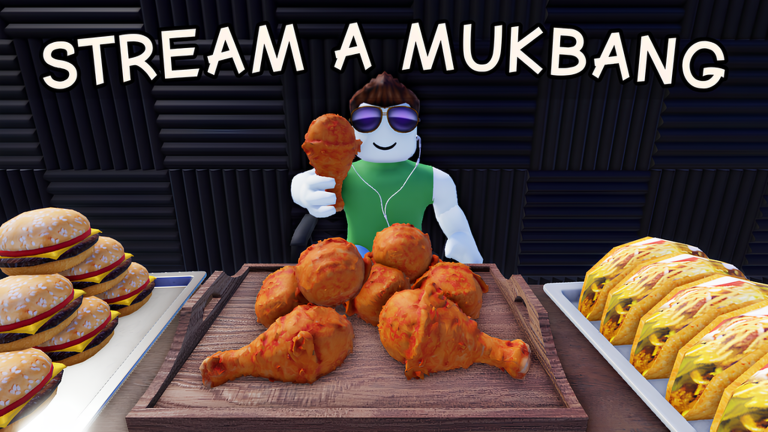
Copy current Stream a Mukbang codes, measure stream progress, and plan chair, table, background, and mansion goals with your own results.
StreamAMukbang is an unofficial fan-made resource. Roblox and the game creators remain the official place for support and updates.
Codes change fast, so the homepage shows the latest known rewards, keeps the checked set visible, and sends players into the dedicated codes page for details.
Reported reward: 1,000 Cash
Reported reward: Chicken food item
Reported reward: 50,000 Cash
Start with the strongest current picks, then use the full tier list when you need ranking notes, substitutes, and update dates.
If an upgrade preview clearly raises Cash earned per stream, compare its payback before buying cosmetic-only progress.
Prioritize a food or setup choice when your own tests show it lets you complete profitable streams faster.
The developer names chair and table upgrades as part of progression. Test each available option against its Cash cost and measured gain.
Background upgrades are confirmed progression, but rank them below measured income upgrades until the game shows a concrete earning benefit.
Start with codes, tier list, and calculators before spending rare resources or committing to a build.
Estimate streams and optional time from your current amount, target, and observed gain.
Compare recorded sessionsCompare two or three food or room setups by gain per stream and optional gain per minute.
Plan the next purchaseEstimate streams to an upgrade cost using the Cash rate you measured in your game.
RankingsCompare provisional priorities for Cash gains, food flow, chair, table, and background upgrades.
CodesCopy RELEASE, FREEFOOD, and 1MILLION, then check reported rewards and redemption help.
Community statusOpen the confirmed Roblox game and see the honest status of Trello, Discord, and official wiki links.
Fresh Roblox questions often appear around codes, events, Discord posts, wiki changes, and creator videos, so those checks have a clear place to live.
See the latest game-page check and which answers can change after an update.
CodesReview current code strings, reported rewards, and Trello, Discord, or wiki link status.
SourcesOpen the confirmed Roblox game and see which community resources remain unconfirmed.
Source watchCheck current official evidence before trusting gamepass names, prices, or bonus claims.
Use these guides when you need beginner advice, safer upgrade choices, farming routes, or advanced strategy.
Open focused wiki pages for food and rewards, rooms and systems, setup choices, upgrades, and the audience stats shown during a stream.
Use these links when you need Roblox pages, creator channels, Discord, Trello, wiki references, or community context.
Use this page for the game title, creator, live Roblox availability, badges, and public update text.
CommunityUse this page or creator links to separate official boards from community references.
EditorialKeep official, community, video, Reddit, and guide-site references easy to compare.
Quick answers for codes, sources, rankings, and the next page to check.
StreamAMukbang is a fan-made Roblox resource for Stream a Mukbang codes, tier lists, calculators, guides, and progression help.
No. This is an unofficial fan site. Use the official Roblox page and creator-owned channels for official support, purchases, moderation, and account issues.
Code status should be updated whenever the game updates, reaches milestones, or public sources report new rewards. Keep the checked date visible.
Read the current in-game cost, measure Cash across several similar streams, and use the Progress Planner before changing one setup category.